Windows OS Clone
Treating a browser desktop as a state-management problem
The desktop is the interaction model#
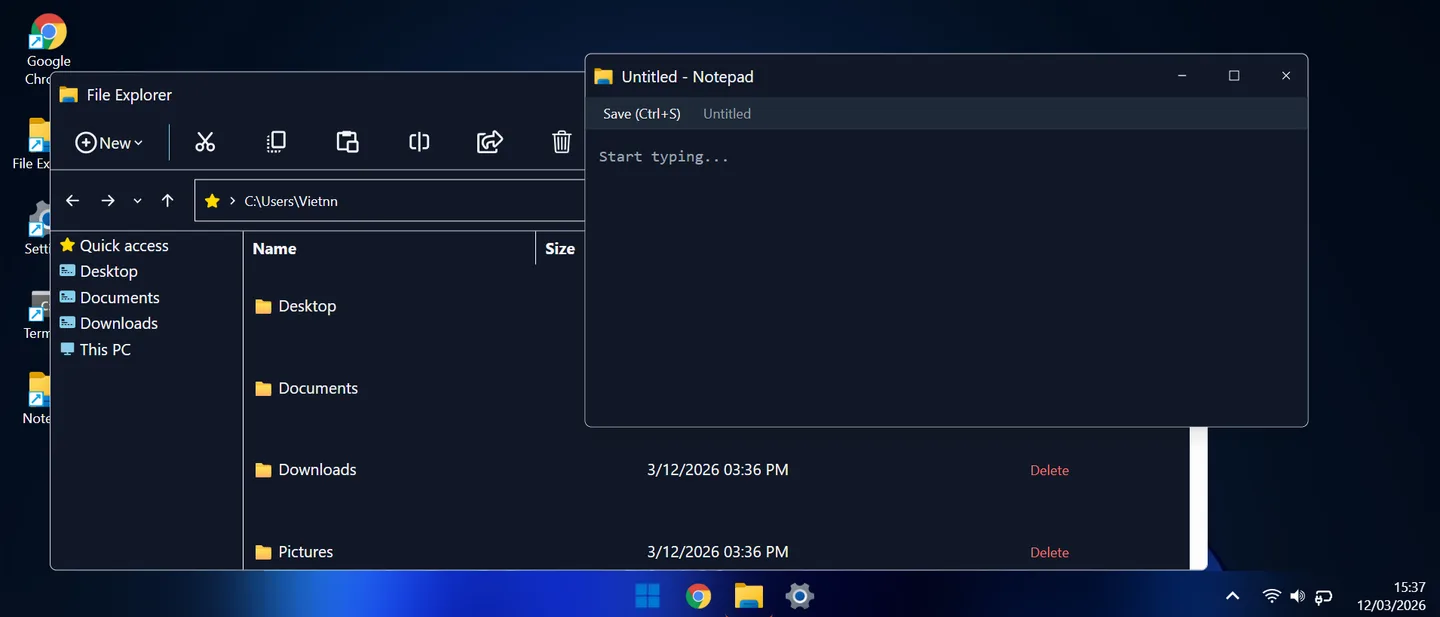
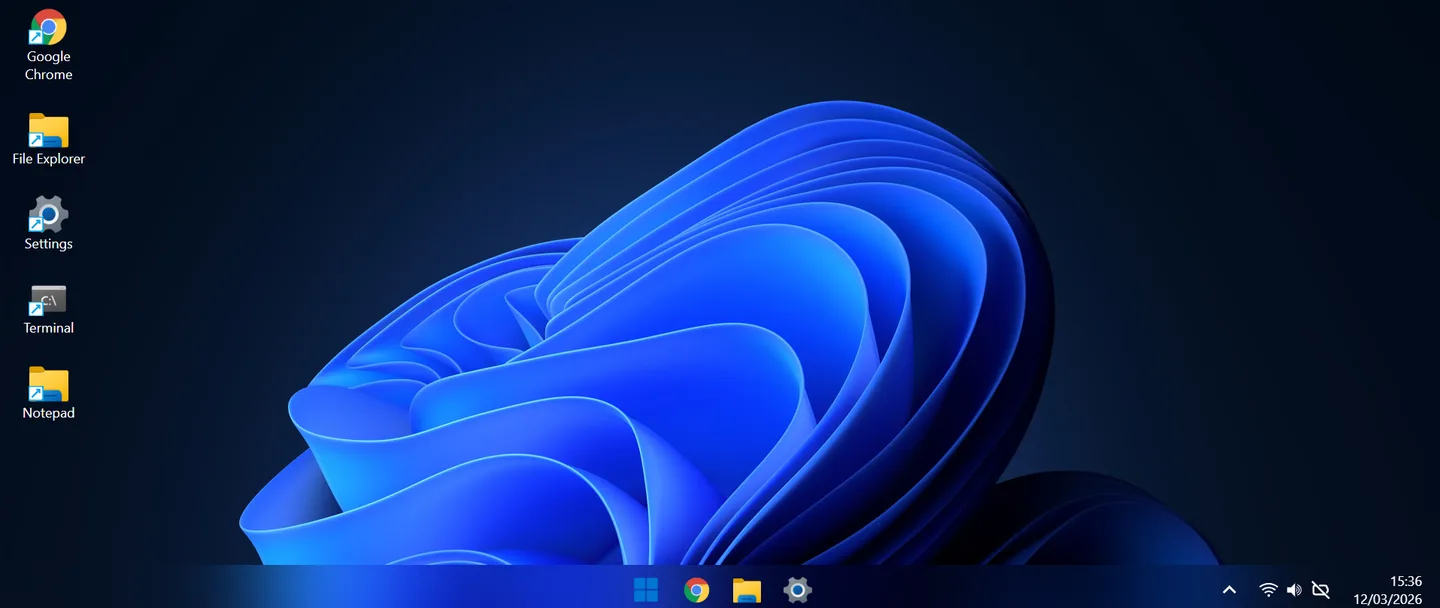
A desktop recreation is easy to recognize in a screenshot: wallpaper, taskbar, icons and overlapping windows. The harder part appears when someone uses it. Opening one application, minimizing another, changing focus and restoring a window all have to agree about the same state.
Windows OS Clone is a browser application built with React, Redux Toolkit and a reusable draggable window shell. Its engineering interest is the coordination between components. The project explores how familiar desktop behavior can be expressed as explicit state transitions inside a web UI.
Why separate the window from the application?#
A terminal and a settings panel have different content, but both need a title bar, focus behavior and window controls. Putting those responsibilities in a shared shell keeps every application from inventing its own rules for movement, stacking and visibility.
This also gives bugs a clearer home. If a minimized window is still visible, the issue belongs to window lifecycle handling. If a terminal command produces the wrong output, the issue belongs to the application. A component boundary is most useful when it separates behavior that changes for different reasons.
How the shared state fits together#
Redux Toolkit holds window state such as position, size, stacking order and minimized or maximized status. The taskbar and the window shell consume that shared state, while each application renders its own interface. React Draggable supplies drag interaction and Framer Motion handles visual transitions.
The central coordination problem is focus. Clicking a window and clicking its taskbar entry are different events, but both may need to bring that application to the foreground. A coherent state model gives these entry points a common meaning instead of letting separate components compete over z-index values.
Window transitions and the invariants to check#
| Interaction | Expected behavior | What can go wrong |
|---|---|---|
| Focus | The selected window becomes the foreground window. | The taskbar indicates one app while another window receives input. |
| Minimize / restore | Hide and restore the existing window state. | Restoring creates a second instance or loses the earlier position. |
| Maximize / restore | Switch geometry and retain a usable restore position. | Restoring uses maximized dimensions or places the window off screen. |
| Close | Remove the window from the active desktop. | Stale taskbar or focus state points at a closed window. |
A shared file system makes the apps feel connected#
The project documentation describes a virtual file system with IndexedDB persistence, exposed through File Explorer, Terminal and Notepad. This creates a stronger connection between the apps than independent mock screens: creating or editing a file has meaning beyond the component that initiated it.
The important boundary is between file data and view state. The text stored in a document belongs to the file system; the currently selected row in Explorer belongs to that view. Keeping those responsibilities distinct makes it possible to reason about two windows looking at the same directory or an editor holding unsaved changes.
Persistence introduces scenarios worth checking explicitly: refresh after a save, reopen a directory, rename a file currently selected elsewhere, and handle an unsuccessful write without displaying a false success state. These are proposed checks for the shared model, not a claim that every edge case has been validated.
What the prototype includes#
- A desktop shell with draggable windows, window controls and a taskbar.
- A terminal-style interface, file browsing and text editing backed by the documented virtual file system.
- An embedded-browser interface with a URL bar and iframe navigation.
- Settings, wallpaper selection, a clock, calendar and desktop context menu.
- Battery information where the browser exposes it, alongside desktop-style system controls.
Where desktop metaphors meet browser boundaries#
The embedded-browser app is an iframe-based interface, not a replacement browser engine. A destination can prevent embedding through X-Frame-Options or a Content Security Policy. When that happens, the application cannot make the remote page embeddable simply by changing React state.
Battery information is also conditional: navigator.getBattery is not available in every browser and requires a secure context in supporting browsers. The desktop should remain usable when that capability is absent. Desktop-style Wi-Fi, volume or Bluetooth controls should likewise be understood according to what the web application actually implements, rather than assumed to control the operating system.
Gallery#
Interaction quality is a separate evaluation#
A convincing screenshot does not establish smooth dragging or usable keyboard navigation. The next useful review would open several windows, switch focus repeatedly, maximize and restore them, then repeat the flow on a narrow viewport. Keyboard access and visible focus deserve their own pass.
During dragging, the relevant performance question is which components update and how much work each pointer movement causes. Shared state helps coordinate the desktop, but not every temporary interaction value needs to notify the entire application. Profiling should determine whether update frequency or expensive app content is the actual source of lag.
Tech Stack#
| Technology | Role |
|---|---|
| React 18 | UI framework & component architecture |
| Redux Toolkit | Window & app state management |
| Tailwind CSS | Utility-first styling & glassmorphism |
| Framer Motion | Window & UI animations |
| React Draggable | Window drag-and-drop |
The transferable lesson#
A desktop UI is a useful exercise in making state ownership explicit. The same questions appear in dashboards, editors and multi-panel business software: who owns the selected item, what survives a hidden view, and which transition changes focus? A shared shell and a consistent lifecycle make those questions easier to answer as more applications are added.
Platform references and live demo#
- Open Windows OS Clone
Explore the desktop interaction model in the browser.
- Redux style guide
Guidance on predictable state structure and transition logic.
- MDN: X-Frame-Options
Why some destinations cannot appear inside an iframe.
- MDN: navigator.getBattery
Availability and secure-context requirements for battery information.